
diff options
Diffstat (limited to 'keyboards/mio/readme.md')
| -rw-r--r-- | keyboards/mio/readme.md | 23 |
1 files changed, 23 insertions, 0 deletions
diff --git a/keyboards/mio/readme.md b/keyboards/mio/readme.md new file mode 100644 index 000000000..6ae4fd049 --- /dev/null +++ b/keyboards/mio/readme.md | |||
| @@ -0,0 +1,23 @@ | |||
| 1 | # MIO | ||
| 2 | |||
| 3 | 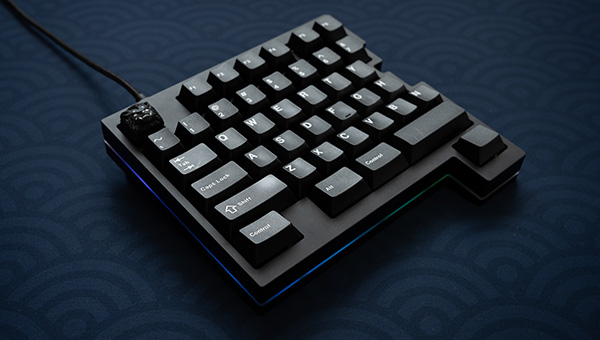 | ||
| 4 | |||
| 5 | High-end custom gaming keyboard. | ||
| 6 | |||
| 7 | * Keyboard Maintainer: [Naoto Takai](https://github.com/takai) | ||
| 8 | * Hardware Supported: Original MIO PCB | ||
| 9 | * Hardware Availability: https://keys.recompile.net/projects/mio/ | ||
| 10 | |||
| 11 | Make example for this keyboard (after setting up your build environment): | ||
| 12 | |||
| 13 | make mio:default | ||
| 14 | |||
| 15 | Flashing example for this keyboard: | ||
| 16 | |||
| 17 | make mio:default:flash | ||
| 18 | |||
| 19 | See the [build environment setup](https://docs.qmk.fm/#/getting_started_build_tools) and the [make instructions](https://docs.qmk.fm/#/getting_started_make_guide) for more information. Brand new to QMK? Start with our [Complete Newbs Guide](https://docs.qmk.fm/#/newbs). | ||
| 20 | |||
| 21 | ## Bootloader Mode | ||
| 22 | |||
| 23 | In order to flash the firmware, you need to put the keyboard into bootloader mode. To enable the bootloader mode, press the reset button (SW1) on the underside of the PCB. | ||